
Project Bonsai
Bons.ai is a simulation-first platform for developing autonomous industrial agents using reinforcement learning. It enables teams to model complex environments, define reward structures and constraints, and train agents across thousands of simulated scenarios. The platform emphasizes visual programming tools that allow users to construct and reason about autonomous behavior via low-level code, lowering the barrier to creating and iterating on intelligent systems. By pairing visual workflows with deep simulation and analysis, Bons.ai helps engineers compare agent performance, identify failure modes early, and build safer, more predictable autonomous systems before real-world deployment.

The Challenge
Building autonomous systems for industrial environments requires making many small changes that can have large, unexpected effects. Teams constantly tweak environments, reward functions, constraints, and training settings, usually through code or configuration files. While this gives flexibility, it makes it hard to see how those changes actually affect an agent’s behavior.
When an agent fails or behaves in an unexpected way, figuring out why is slow and frustrating. A small change to a reward value or constraint can completely alter how an agent learns, but the connection between the change and the outcome is not obvious. Teams often have to rely on repeated trial and error, adjusting parameters, retraining agents, and scanning logs to guess what went wrong.
This becomes even harder when multiple people are involved. Machine learning engineers may understand the training mechanics, while domain experts understand the real-world environment, but existing tools make it difficult for them to work together. Most changes live in code, which limits who can safely experiment and makes it harder to discuss behavior in a shared, concrete way.
The challenge is giving teams a way to clearly see what they are changing, what the agent is doing as a result, and how behavior evolves over time, without having to mentally piece everything together from scattered settings and logs.

The design process
At Bons.ai, I worked across roles. I functioned as a UI designer, UX designer, and UX researcher, often within the same week. As an early-stage platform, there was no separation between product thinking, interface design, and brand. I helped shape the system from the ground up.
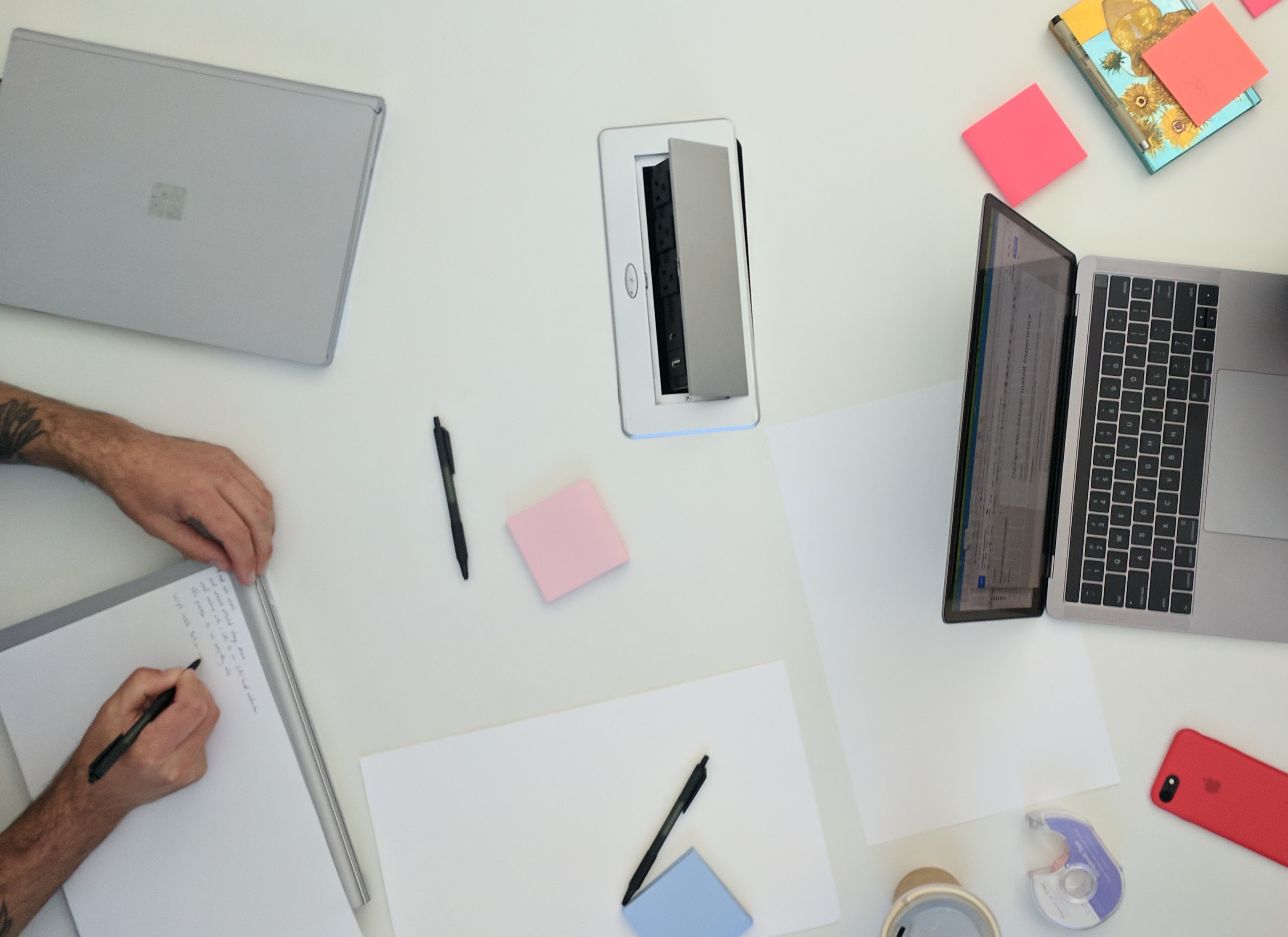
In the early stages, much of my work focused on understanding how engineers actually trained and adjusted autonomous systems. I traveled to meet with customers, spent time observing how they worked, and listened closely to how they described their challenges. These conversations grounded the product in reality. Engineers showed me how they changed reward values, tweaked constraints, reran simulations, and tried to interpret results. The friction was rarely in the math. It was in the workflow.
I translated those observations into structure. I mapped user flows that reflected the real sequence of work: define the environment, configure objectives, train the agent, review outcomes, adjust, and repeat. These flows became the backbone of the platform. Instead of building around isolated technical components, we organized the system around how people actually iterated.
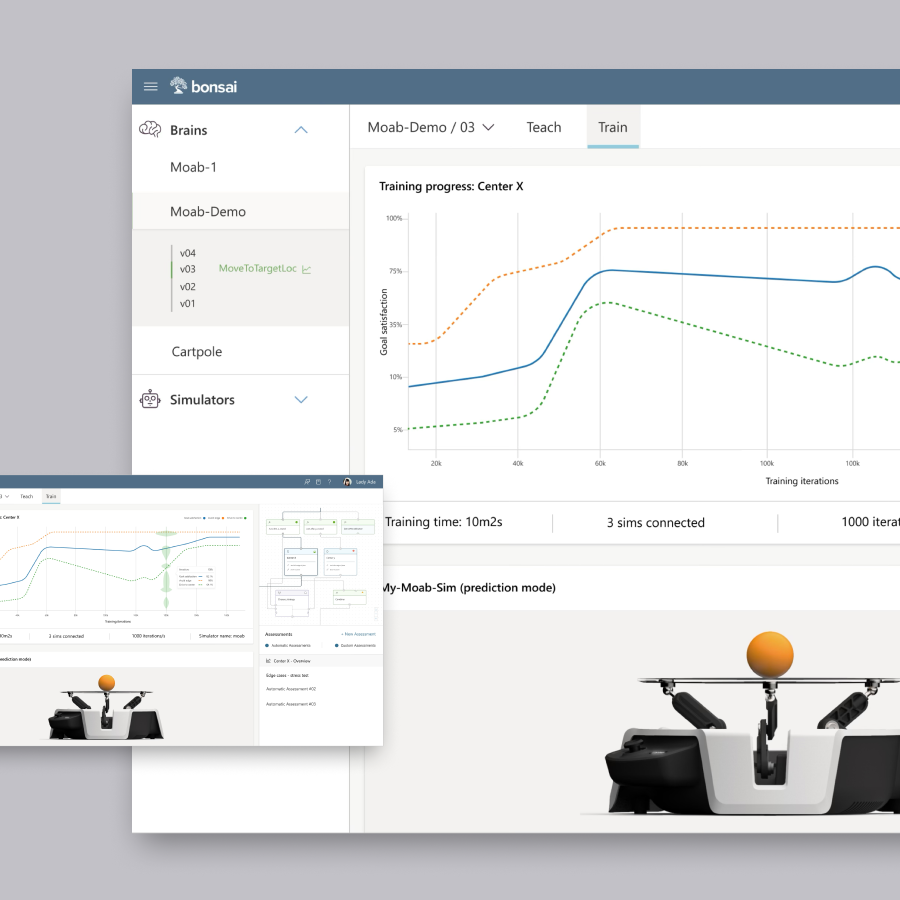
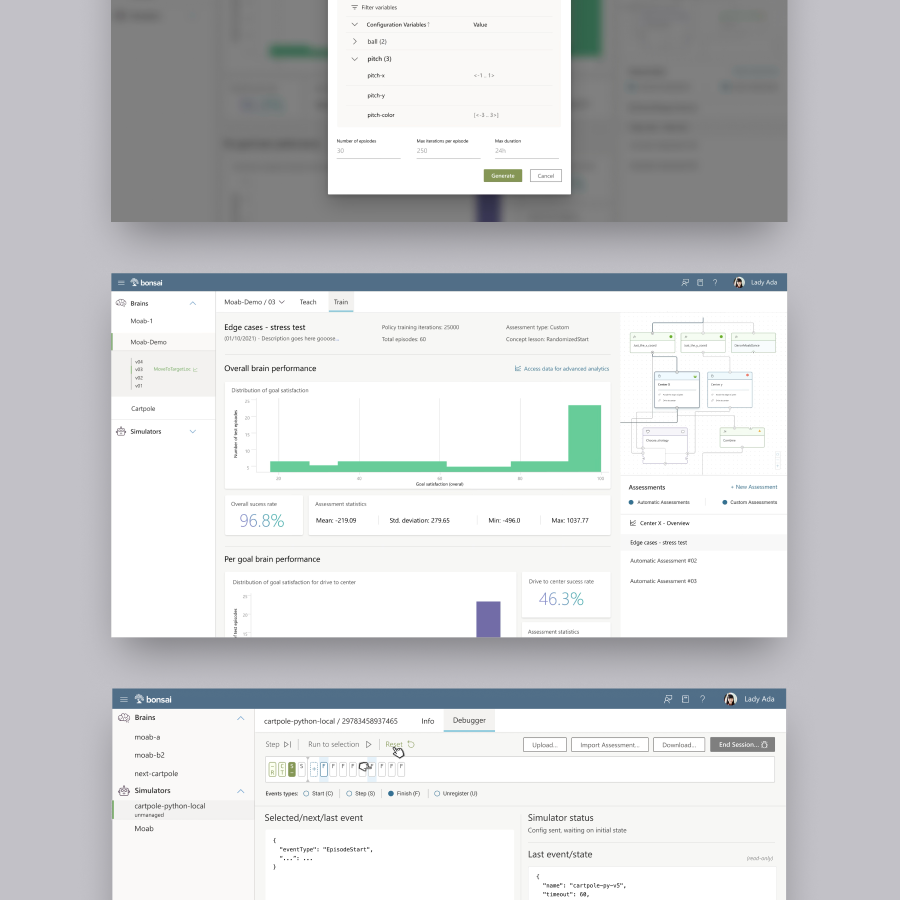
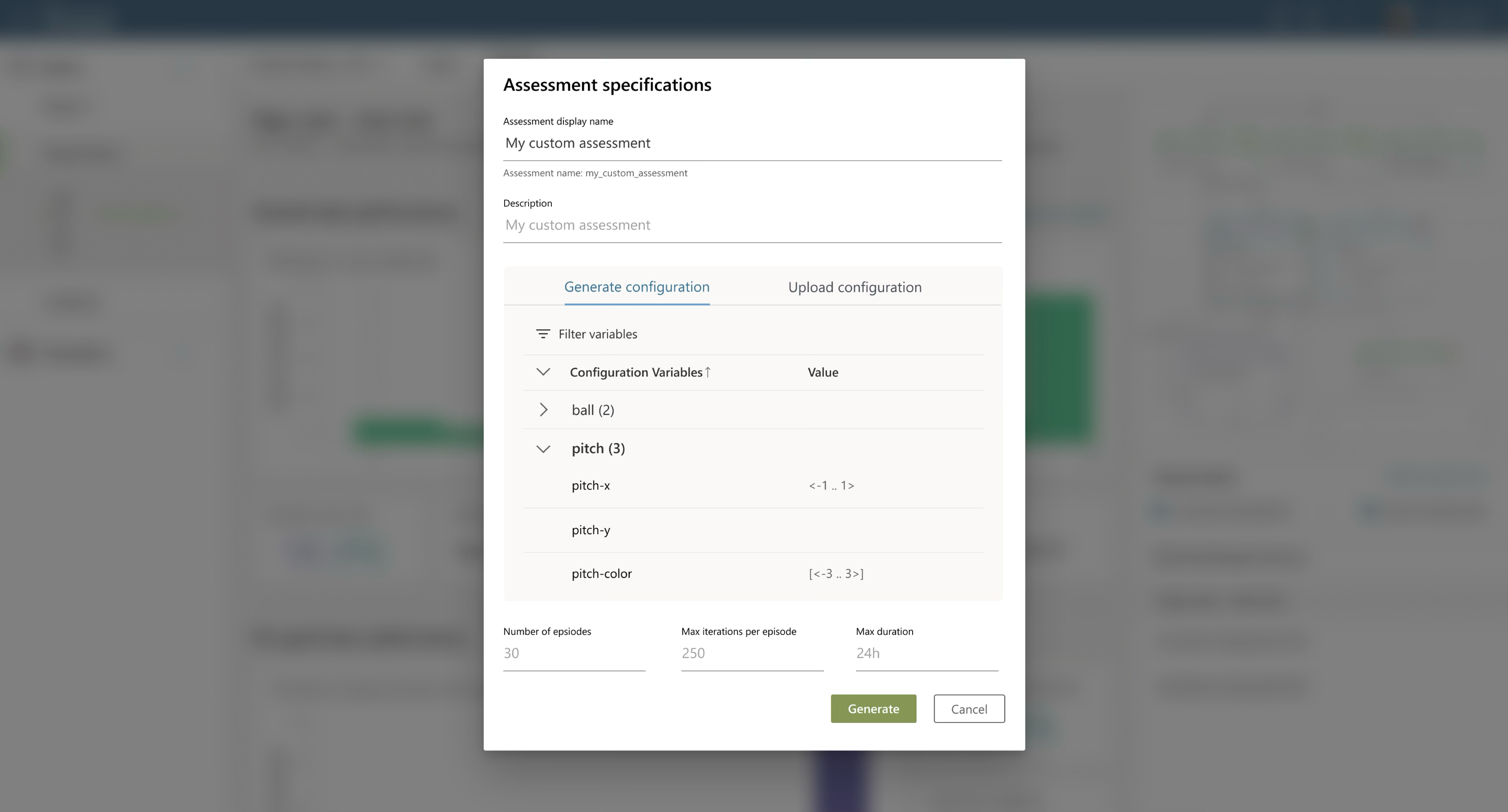
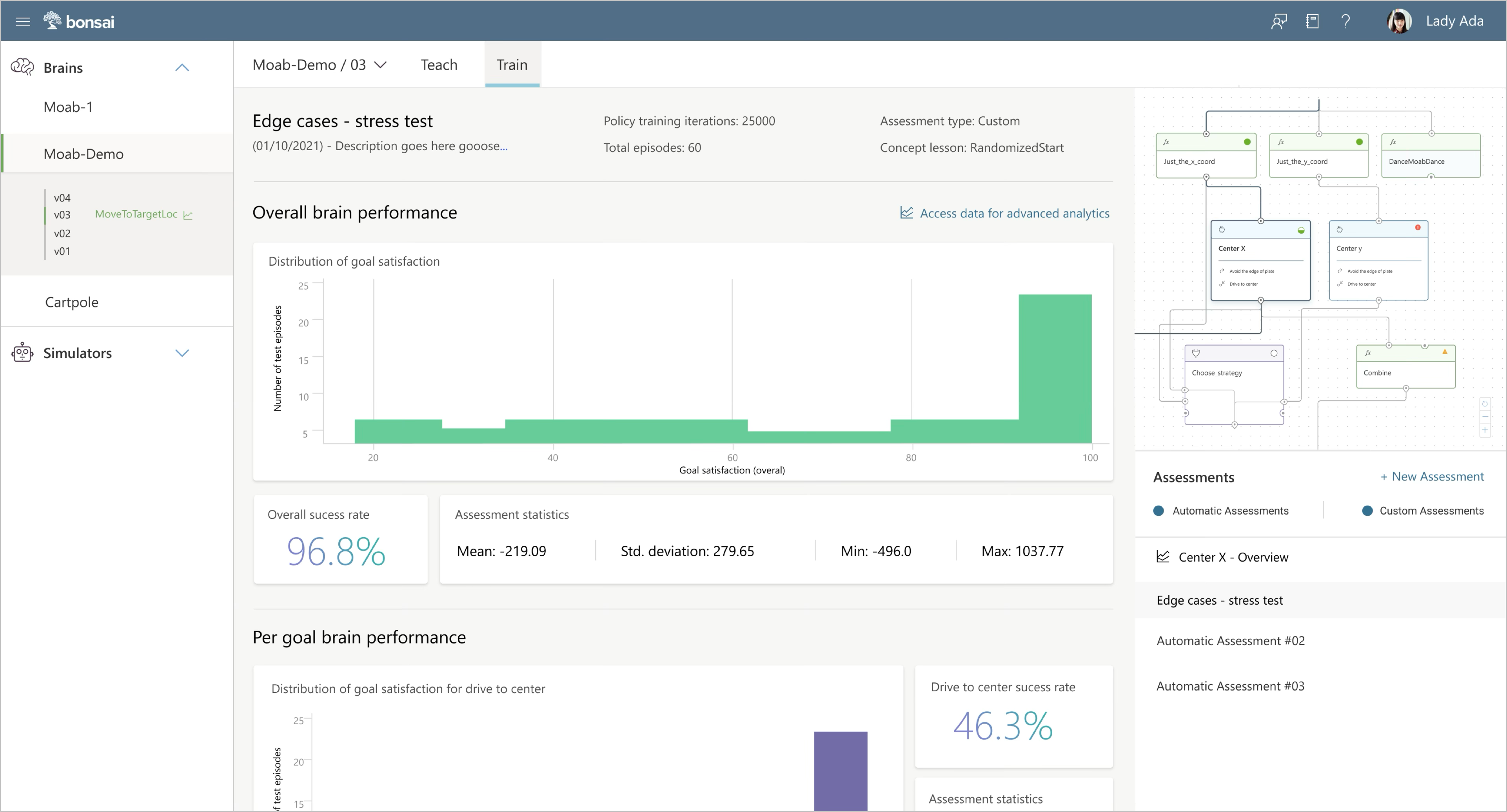
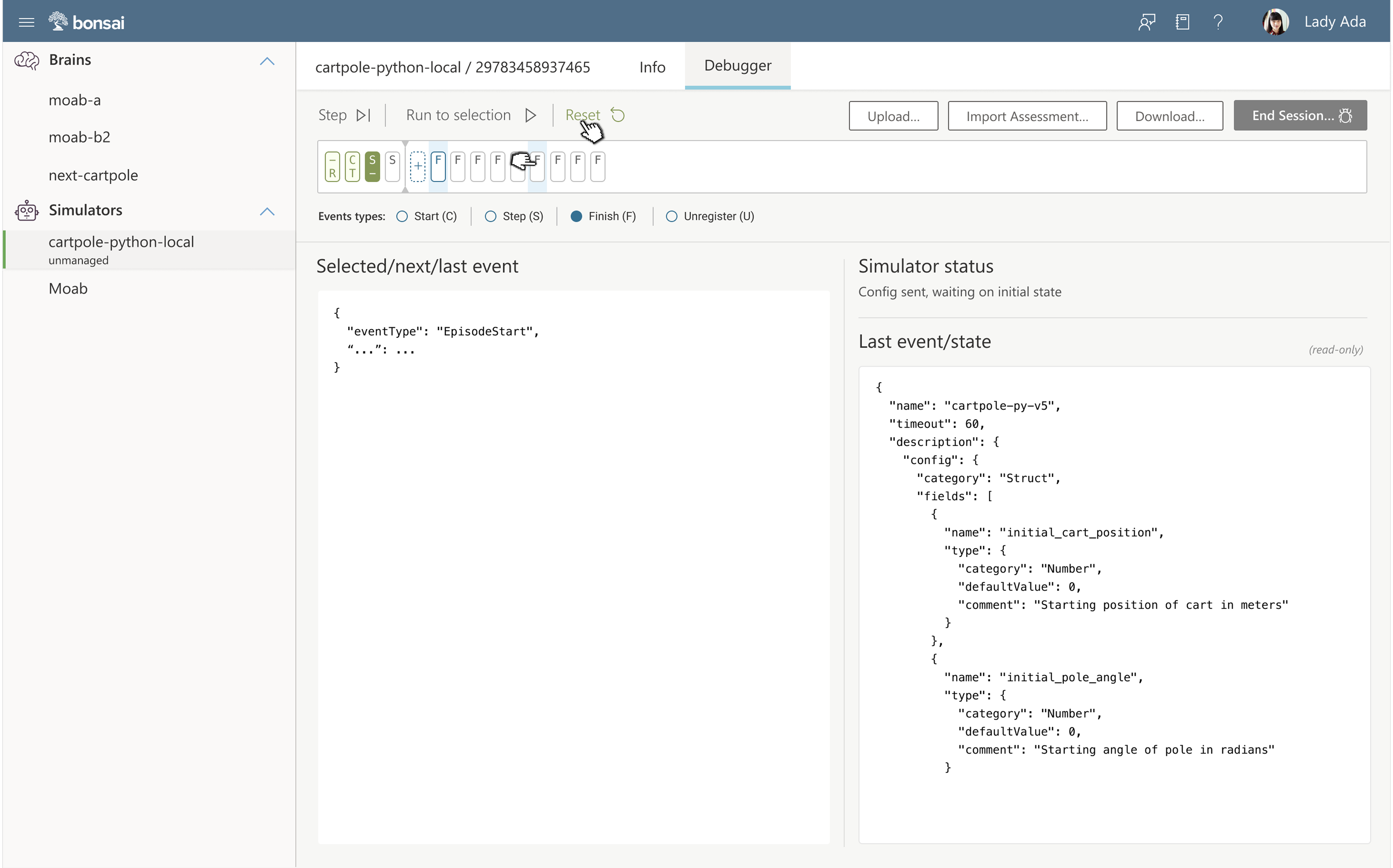
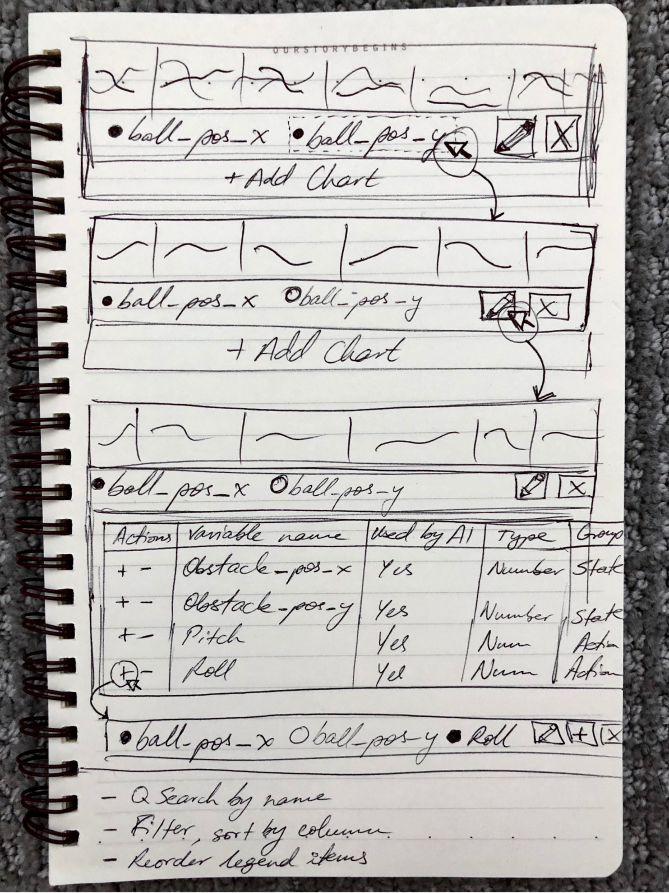
From there, I moved into wireframing and interaction design. I explored multiple ways to represent environments, reward systems, and training progress. We tested layouts for dashboards, experiment comparison views, and simulation outputs. The goal was not to simplify the science, but to make cause and effect visible. When a user changed a parameter, they needed to clearly see how that adjustment influenced behavior over time.
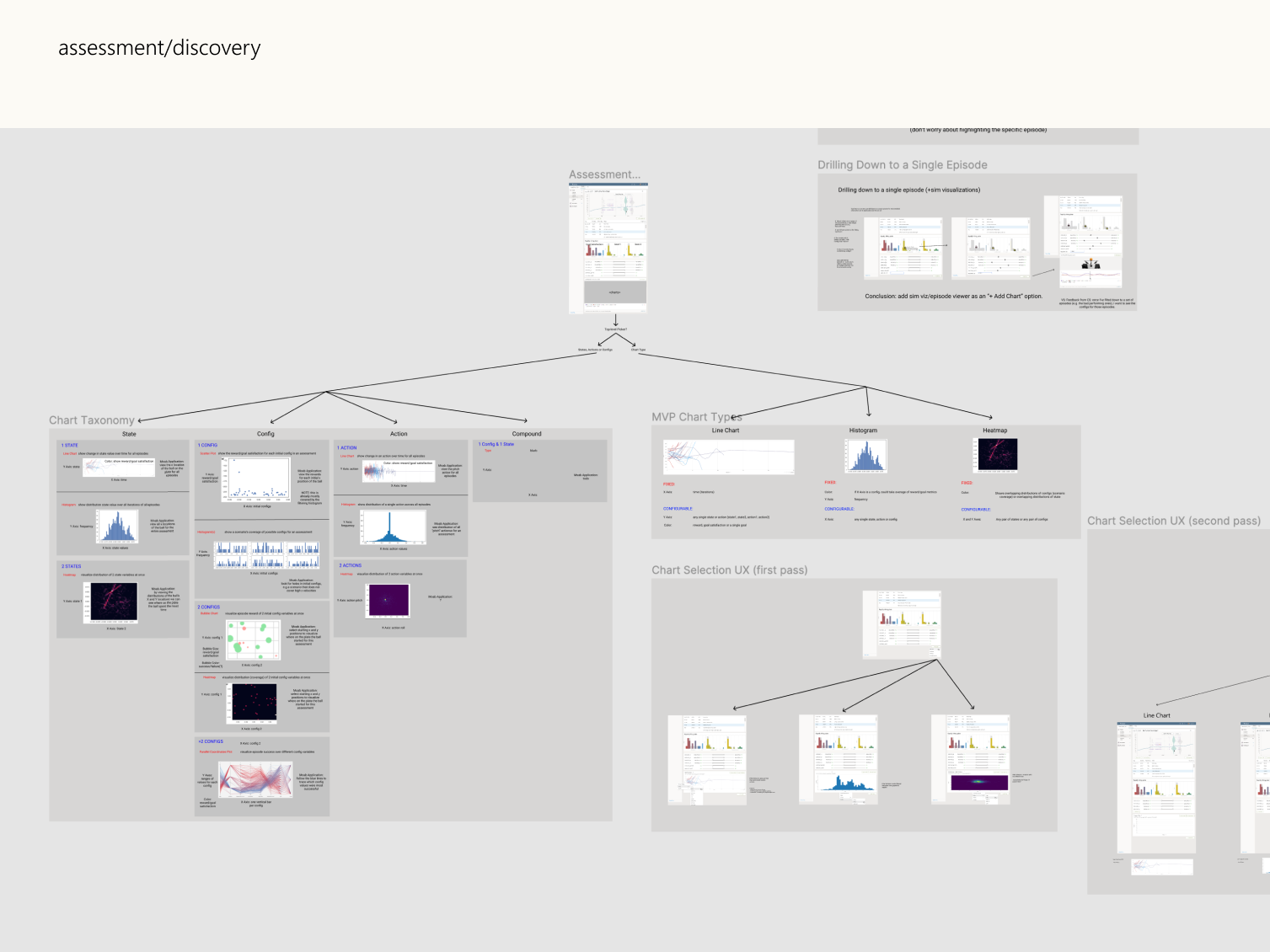
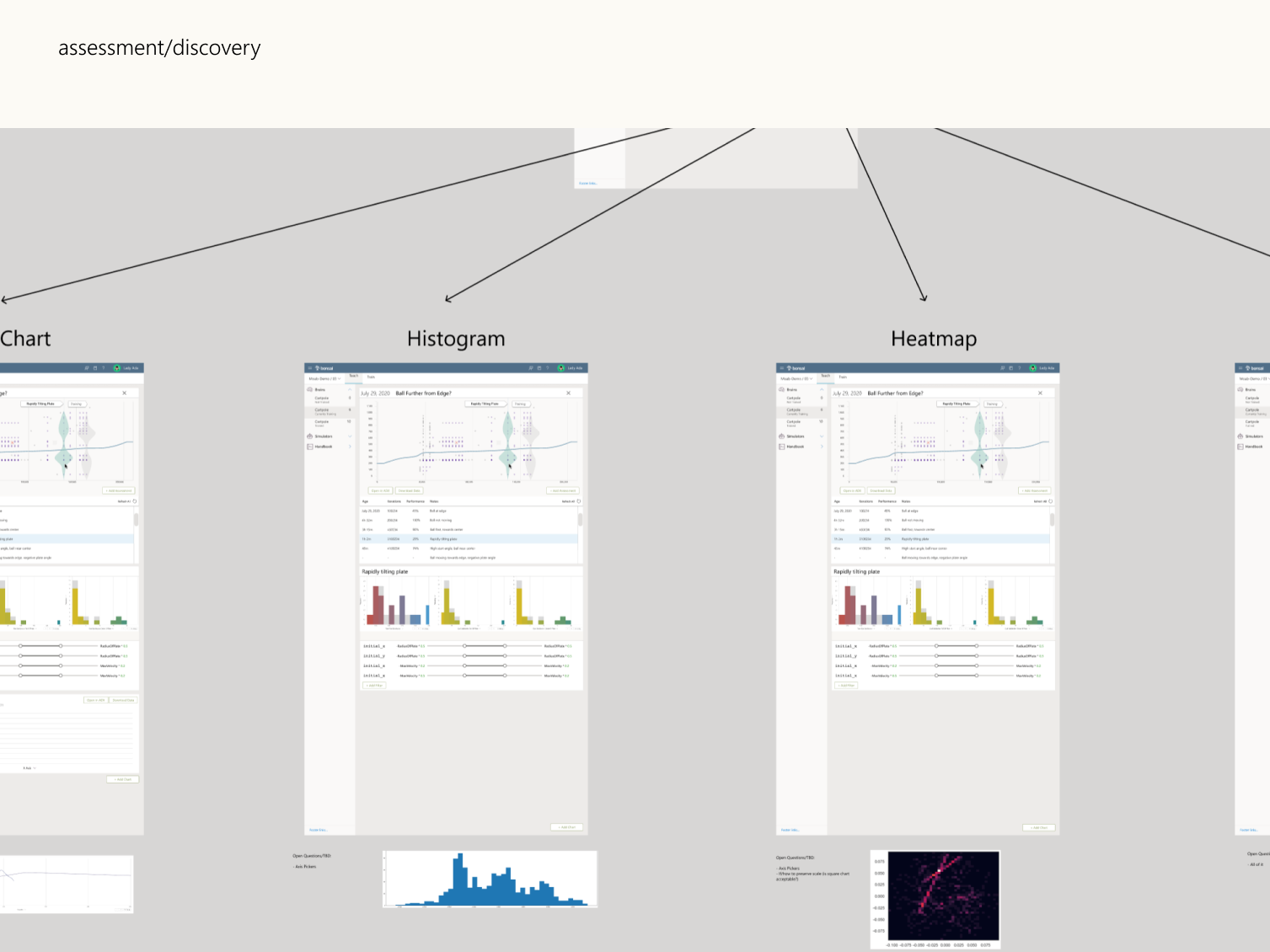
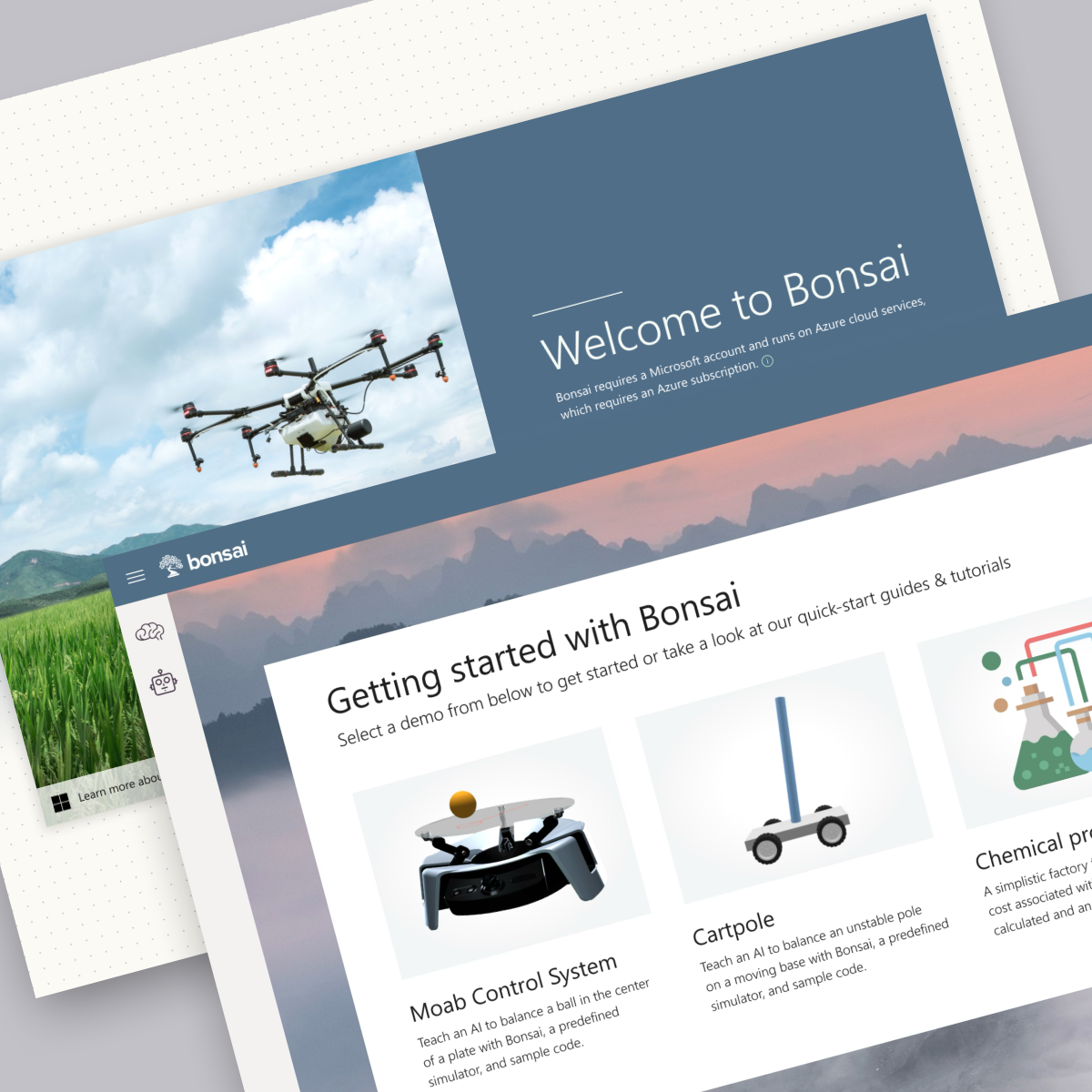
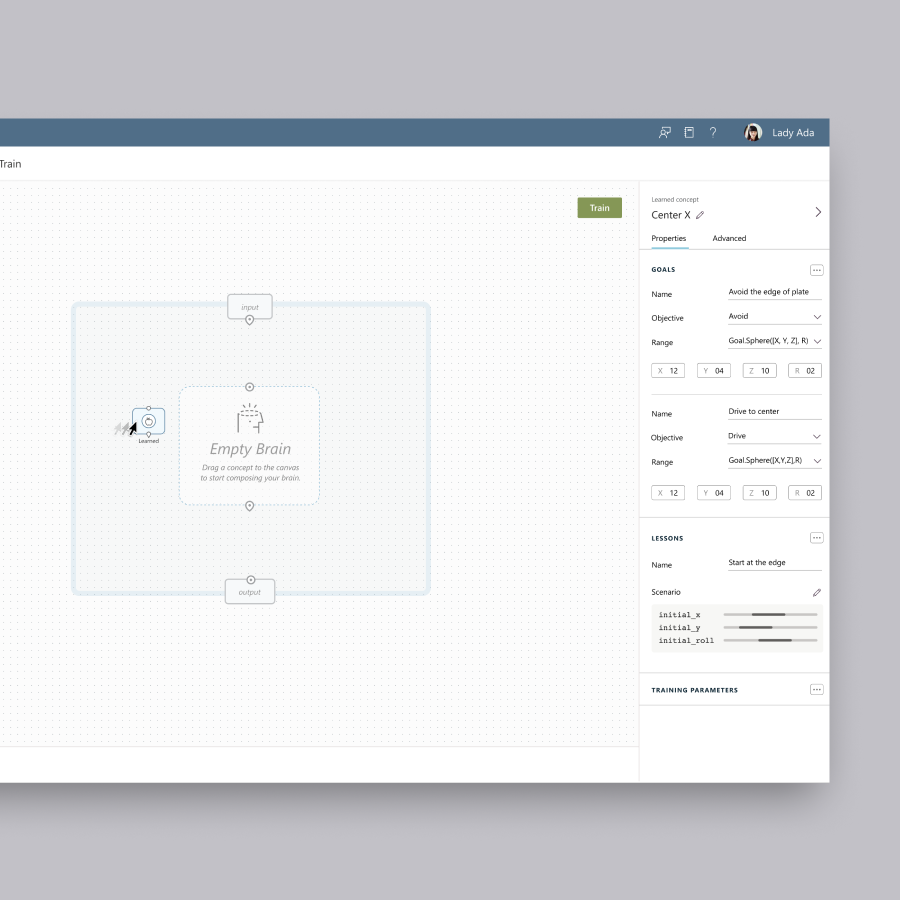
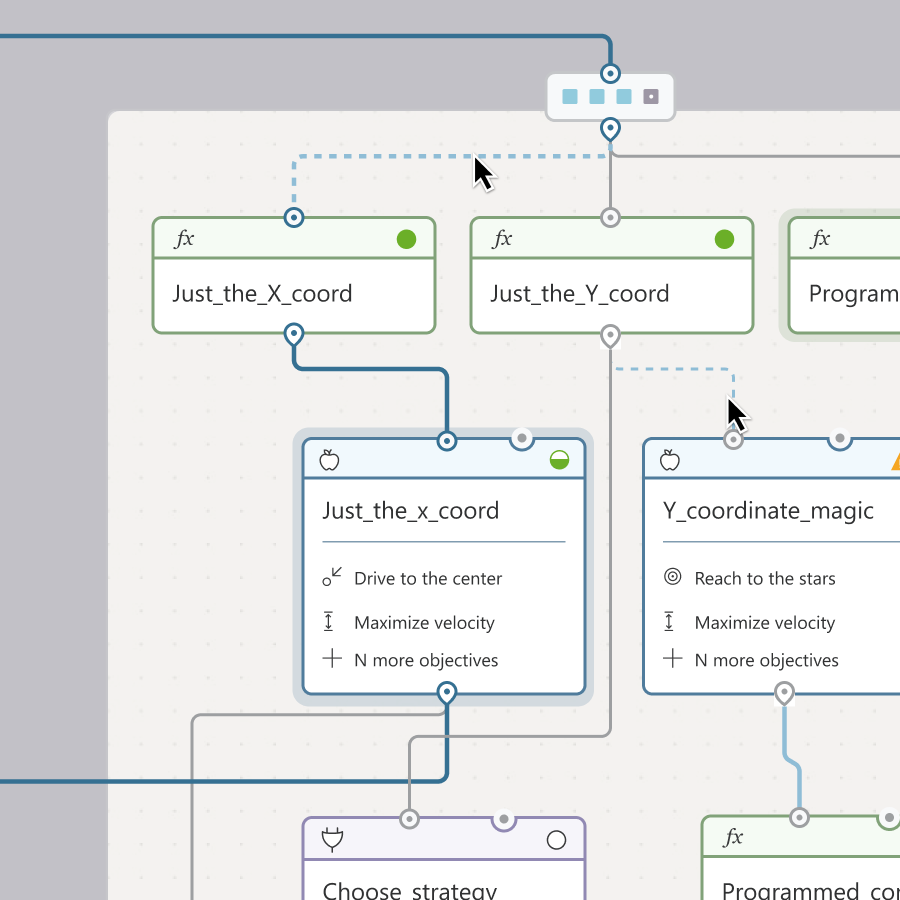
Visual programming became a central part of the solution. Rather than requiring users to work entirely in configuration files, I helped design composable visual blocks that represented environments, objectives, and constraints. Users could connect, rearrange, and adjust these components directly. This made the structure of the system visible and created a shared surface where engineers and domain experts could reason about behavior together.
As workflows matured, I developed the visual language of the platform. I defined typography, color systems, spacing, and interaction patterns. The brand needed to feel technical but not intimidating. The interface needed to support dense information without overwhelming users. I established a cohesive design system that scaled as the product evolved.
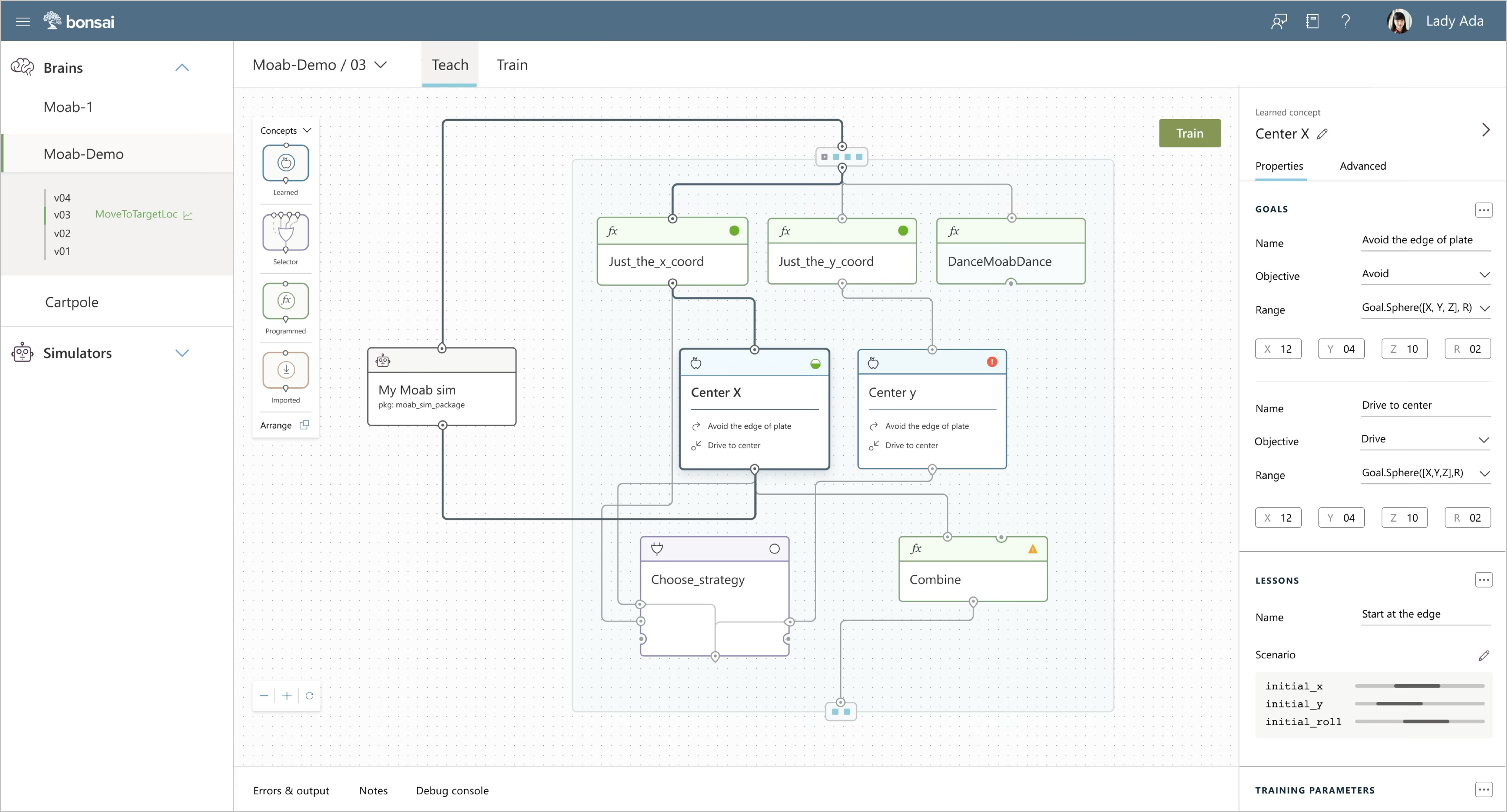
Throughout the process, we iterated constantly. Customer feedback reshaped flows. Edge cases forced adjustments. Performance constraints influenced design decisions. I worked closely with engineers to ensure the interface reflected the realities of the underlying system, not an idealized abstraction.
The result was a cohesive platform that allowed teams to adjust complex autonomous behaviors with greater clarity, experiment with more confidence, and collaborate around shared representations rather than isolated code.